How to get more Google reviews (ethically) — with templates you can copy
Reviews influence where you rank on Google Maps and whether people choose you. Most happy customers are willing to leave one — they just need to be asked at the right moment, the right way. Here's exactly how, with templates.
 SEO & GEO
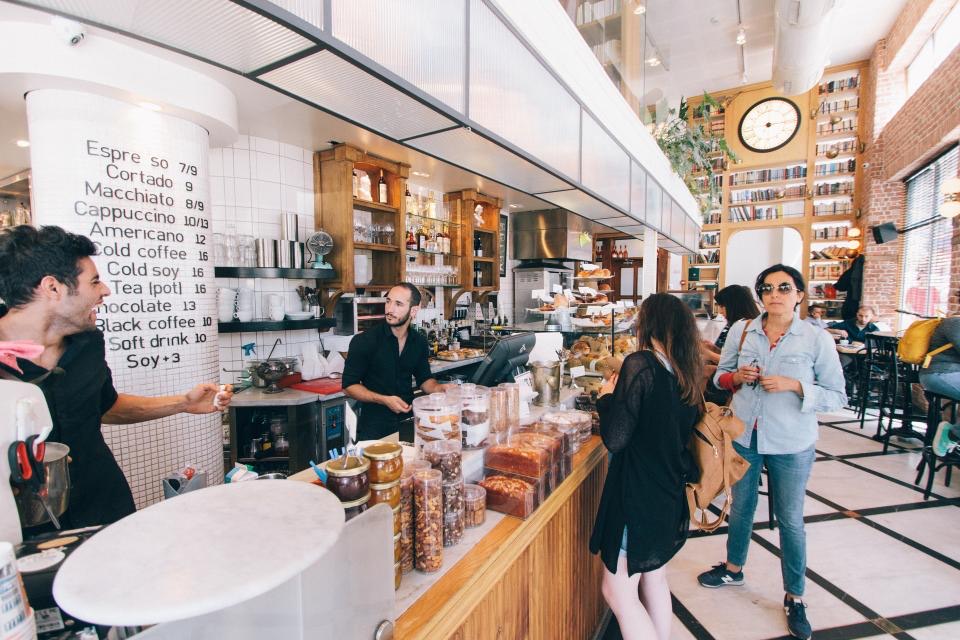
Photo: Rob Bye via StockSnap (public domain, CC0)
On this page
- Why customers don't leave reviews
- Step 1: Get your direct review link
- Step 2: Ask at the right moment
- Step 3: Ask personally — then make it easy
- Step 4: Build reviews into your routine
- Step 5: Respond to every review
- Mistakes to avoid
- Use reviews across your marketing
- The bottom line
- Frequently asked questions
- Reviews affect local rankings, click-through and conversion. Quantity, recency, rating and detail all matter.
- The biggest reason customers don't leave reviews is simply that nobody asked.
- Ask at the moment of satisfaction, make it one tap with a direct link, and follow up once.
- Respond to every review — thoughtfully to negative ones.
- Never buy, fake or incentivise reviews, or ask only happy customers through "review gating" — it violates Google's policies.
Before choosing a clinic, restaurant, school, contractor or shop, most people check its Google reviews. A business with 250 recent reviews averaging 4.7 stars looks far more trustworthy than one with 12 reviews from three years ago — even if the second business is just as good.
Reviews also influence local search visibility. Google has said that review count and ratings factor into local ranking, as part of "prominence". And in the age of AI search, reviews are one of the signals assistants use to recommend businesses. See our guides on local SEO and GEO.
So how do you get more reviews — honestly and consistently?
Why customers don't leave reviews
- They weren't asked
- They meant to, but forgot
- They didn't know how, or it seemed like effort
- They didn't think their opinion mattered
- The request came at the wrong time
Every one of these is fixable with a simple system.
Step 1: Get your direct review link
In your Google Business Profile, find the option to ask for reviews or share review form. Google gives you a short link that opens the review box directly. Save it — you'll use it everywhere.
Step 2: Ask at the right moment
Timing is everything. Ask when the customer is happiest:
| Business type | Best moment to ask |
|---|---|
| Restaurant / café | As the bill is paid after a good meal, or a follow-up the same evening |
| Clinic / healthcare | After a successful treatment or recovery milestone |
| Home services | Right after the job is completed and the customer is satisfied |
| E-commerce | A few days after delivery, once they've used the product |
| Education / coaching | After a result, milestone or course completion |
| B2B services | After a successful project delivery or positive feedback |
Step 3: Ask personally — then make it easy
A personal request from the person who served the customer is the most effective. Then follow up with the link so it takes just one tap.
In person
"I'm really glad you're happy with it! Would you mind sharing a quick Google review? It really helps a small business like ours. I'll send you the link on WhatsApp right now."
WhatsApp template
Hi Meera, thank you for choosing Sunrise Dental today! 😊 If you had a good experience, would you mind leaving us a quick Google review? It takes less than a minute and helps other families find us: [review link]
— Dr. Kapoor & team
Email template
Subject: How did we do, Rohan?
Hi Rohan,
Thanks again for trusting us with your office interiors. We hope the team is enjoying the new space!
If you have a minute, we'd be grateful for a short Google review about your experience. It helps other businesses know what to expect from us.
[Leave a review]
Thank you,
Ananya, Project Lead
Gentle reminder (one follow-up only)
Hi Meera, just a gentle reminder in case you missed our message — if you have a moment, we'd love your feedback on Google: [review link]. Thank you!
Step 4: Build reviews into your routine
One-off pushes produce a burst of reviews that then dries up. Recency matters, so make asking a habit:
- Review link and QR code created and shared with the team
- A clear moment in the customer journey when the request happens
- WhatsApp and email templates saved as quick replies
- Automated request after purchase or appointment (via CRM or WhatsApp automation)
- One reminder after a few days, then stop
- Weekly check of new reviews and responses
- Team recognition when customers mention staff by name
Automation helps: a CRM or WhatsApp workflow can send review requests after each completed order, appointment or project. See our business automation ideas.
Step 5: Respond to every review
Responding shows customers you care, and future customers read responses too.
Responding to positive reviews
Thank them personally, mention something specific, and keep it natural:
Thank you so much, Aditya! We're thrilled the kitchen turned out exactly how you imagined. It was a pleasure working with your family — enjoy cooking in the new space!
Responding to negative reviews
Negative reviews happen to every business. How you respond matters more than the review itself.
- 1
Pause before replying
Don't respond in anger. Take time to understand what happened.
- 2
Acknowledge and apologise for their experience
Thank them for the feedback and acknowledge their frustration, without being defensive.
- 3
Explain briefly, if helpful
Share context calmly, without blaming the customer or revealing private details.
- 4
Take it offline
Offer a direct way to resolve it: a phone number, email or manager's name.
- 5
Fix the underlying issue
If the complaint reveals a real problem, fix it. Some customers update their review after a good resolution.
Hi Karan, we're sorry your delivery arrived late and the order was incomplete — that's not the experience we want for anyone. We've shared this with our dispatch team. Please contact me directly at 98XXXXXXXX so we can make this right. — Neha, Customer Care
Mistakes to avoid
- Buying reviews or using review exchange groups — against policy and can lead to removal or penalties.
- Offering incentives (discounts, gifts) in exchange for reviews — prohibited by Google's policies.
- Review gating — asking customers whether they're happy first and only sending satisfied ones to Google — discouraged by Google and can mislead.
- Writing reviews yourself or asking staff and family to post as customers.
- Asking in bulk after years of silence — a sudden spike can look unnatural; build steadily.
- Ignoring reviews — silence on complaints looks like you don't care.
Use reviews across your marketing
Reviews are powerful social proof beyond Google:
- Feature them on your website — especially near calls-to-action
- Turn them into Instagram posts and Stories (with permission)
- Include them in ads, proposals and email sequences
- Share them with your team to celebrate great service
The bottom line
Great businesses often have too few reviews simply because they don't ask. Get your direct link, ask personally at the moment of satisfaction, make it one tap, follow up once, and respond to every review. Build it into your routine, stay within the rules, and your reputation will grow steadily — along with your visibility and sales.
Frequently asked questions
How many Google reviews does a business need?
There's no fixed number. Aim to have more recent, detailed reviews than your main local competitors, and keep them coming consistently.
Can I offer a discount for leaving a review?
Google's policies prohibit offering incentives in exchange for reviews. Ask genuinely, without rewards.
Can I delete bad reviews?
You can't delete reviews yourself. You can report reviews that violate Google's policies. For genuine negative reviews, respond professionally and try to resolve the issue.
Should I respond to every review?
Yes, ideally. Thank positive reviewers and address negative ones calmly. It shows prospective customers that you care and are active.
Why did some of my reviews disappear?
Google's automated systems may filter reviews that appear suspicious — for example, many reviews from the same network or accounts with unusual activity. Encourage genuine customers to review from their own accounts, and avoid sudden bulk requests.